
Update now and enjoy improved app experience
The new Wavin Sentio app offers smarter climate control, a modern interface for easy navigation, and a seamless upgrade experience.
- NEW: History graphs (day/week/month)
- Smarter Climate Control – A more intuitive and effortless way to manage your home climate system.
- Modern Interface & Navigation – Find what you need quickly with an improved design.
- Easy Upgrade – Update the app, set a new password, and enjoy the enhanced experience.
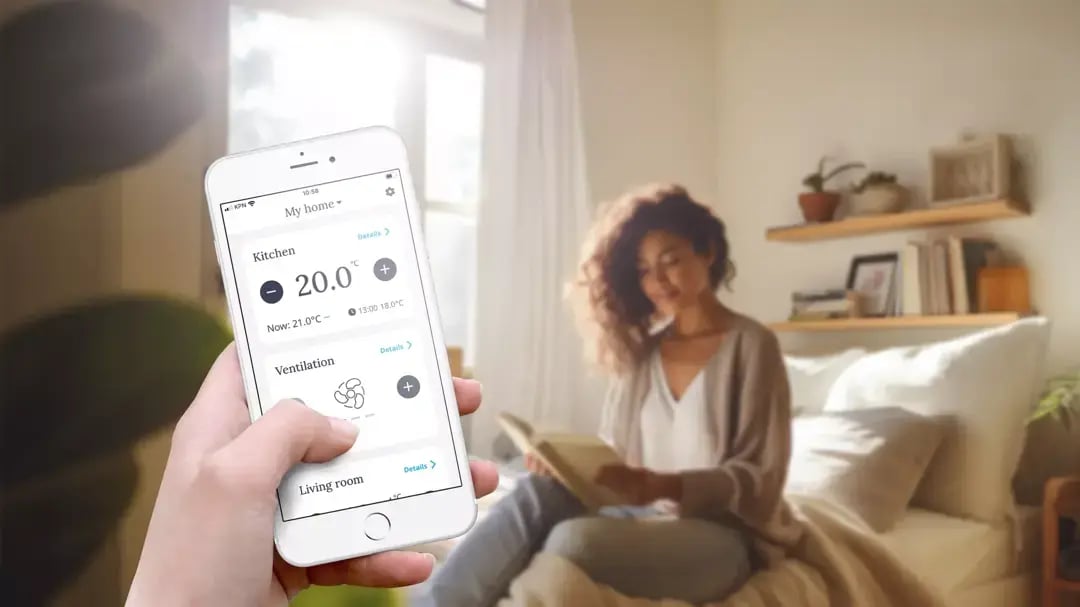
Enjoy the new and improved Sentio App
How to update the Wavin Sentio mobile app?
If you have automatic updates enabled, the app will update automatically, and you just need to set a new password the first time you use it.
If you haven't enabled automatic updates:
- Open App Store or Google Play, use the direct links below
- Search for "Wavin Sentio App"
- Click Update
- Navigate to the app
- Follow the on-screen instructions to set a new password

New: History graphs
Now, Sentio App users can get visual insights into their indoor climate by day, week, or month.
- Flexible periods: Switch between day / week / month. The current week/month shows data from the 1st day through today.
- Calendar pickers: Tap the calendar to jump to a specific date.
- Rich metrics (room dependent): Air temperature, floor temperature, humidity, and desired (set) temperature. Metrics auto‑hide if a room lacks a relevant sensor.
- Point‑in‑time insights: Tap any point on the graph to see the exact values at that time.
- Series toggles: Show/hide each data series by tapping the label under the chart.
Update Sentio App now
Frequently asked questions
Here you can find answers to the most commonkly aked questions about the new Sentio App
Why does the Wavin Sentio app look different?
Over the years, the Wavin Sentio control system has developed into a complete indoor climate control system.
This evolution is reflected in the navigation and design of the app.
It provides the same functionality with better usability and is updated with the latest technologies and standards.
What do I need to do to get the new Wavin Sentio App?
If you have automatic updates enabled, the Wavin Sentio App will update itself as soon as the new version is released.
If you don't have automatic updates enabled, you can find the new app in the App store or Google Play. Finds direct links above.
You will receive an email with information about the release date.
What happens when I install the new version of the app?
The new Wavin Sentio App will ask you to register a new password for security purposes.
After that, you will be asked to install the latest firmware on your control system.
Confirm to start the automatic update.
Once the firmware is updated, you will be able to experience the new look and functionality of the app.
Why should I update my Sentio system?
It gives you all the latest features we've developed for Sentio and is easy to use, allowing you to make your home even more efficient and comfortable.
What happens with my current settings once I download the new app?
All your settings, including schedules, will be available in the new app.
Will there be an impact on my system or comfort once I download the new app?
During the update, your system will be offline briefly, temporarily suspending indoor climate control via the app.
The system itself will run according to the schedule and temperatures set.
After the update, it will work normally (or even better).
Can I choose to continue using the old app?
No, the old app will not continue to operate.
Can I delay the update?
We recommend that you do not delay the update as not to miss out on new features.
A short delay is possible, but other users of your system may initiate the update. If you wish to delay, coordinate with other users in advance.
I have multiple users on my Sentio systems; How will this update work?
If a user updates the app and confirms the firmware update, the Sentio system will be updated.
Other users on the old app won't be able to access the new system until they update their app.
I have multiple Sentio systems in my app. What will happen if I update my app?
When you update the app, all connected systems will need to be updated.
We recommend that you coordinate with other users in advance
My installer uses Sentio SmartConnect to manage my system remotely, will it continue to work?
Yes, installers can still access your system through Sentio SmartConnect and support you remotely.
Where can I find graphs in the new app?
Open a room → tap History → choose Day / Week / Month.
Tap the calendar to pick a date and tap points for exact values.
Lines shown depend on your room sensors
Have you checked our FAQs?
If you don’t find the answer, simply fill in the form below. Our experts will handle your enquiry, ensuring you get the right guidance to make the most of your climate control system.
